How it works
A booking page that's 100% yours — live in minutes
Duplipost turns your availability into a clean, branded booking link that syncs with your calendar, blocks double-bookings, and runs on automatic reminders. No third-party logos, no ads, no dark patterns — just your name, your URL, and the meeting.
Get started
The fastest path from zero to a booking link you can share.
Create your account
Sign up with email or Google in about 30 seconds — no credit card.
Claim your link
Pick your username; your page lives at duplipost.com/yourname.
Set your availability
Choose the days and hours you're open for meetings.
Create a booking type
Name your meeting, set its length and location, and add any questions.
Connect your calendar (optional)
Link Google Calendar so busy times block automatically. No Google? Skip it and set your hours manually.
Share your link
Send it by email, put it in your bio, or embed it on your own site.
How it works
What you set up, and what your invitee experiences — both sides, end to end.
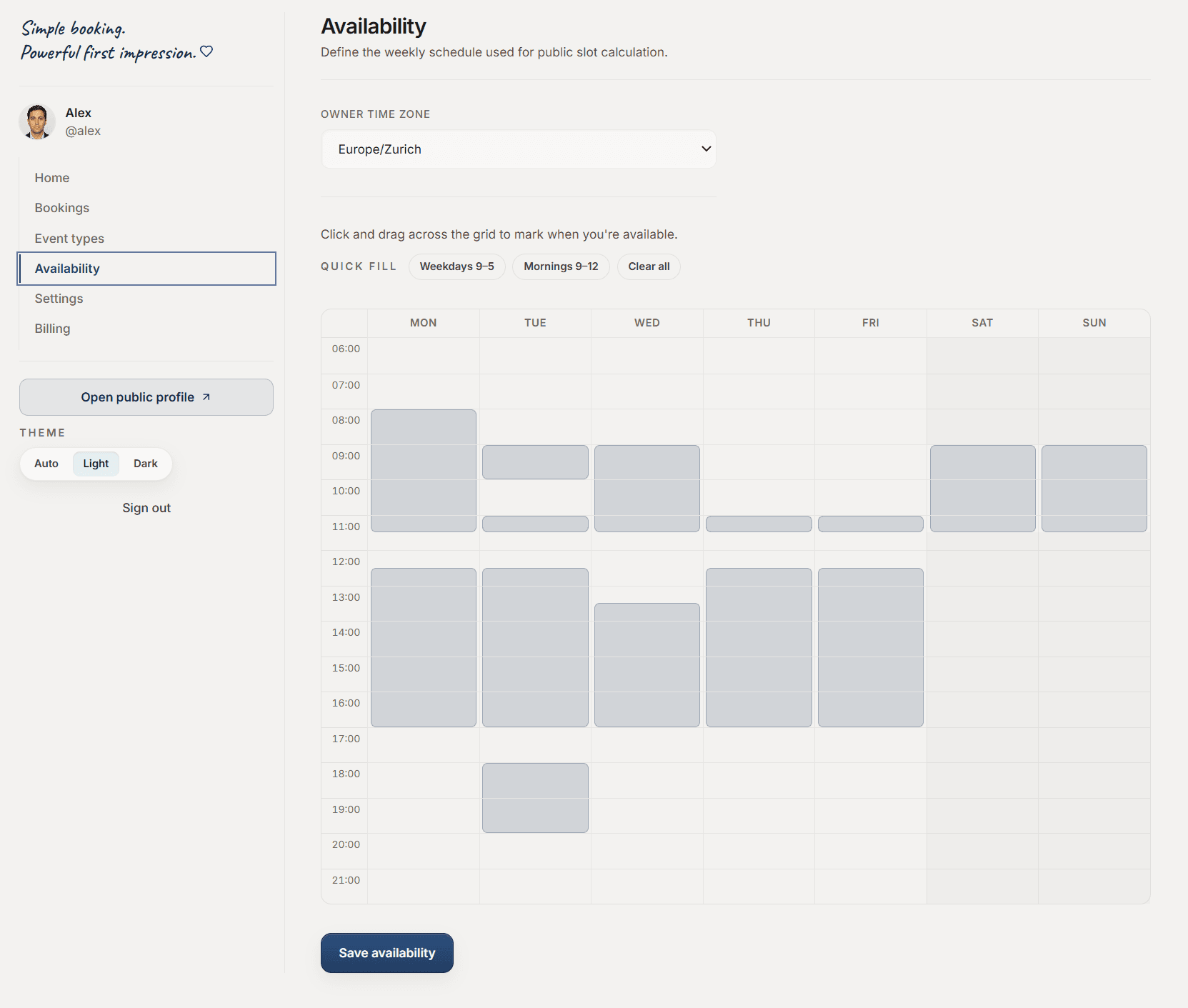
Set your availability
Choose the days and hours you take meetings; connect your calendar so busy times are blocked.
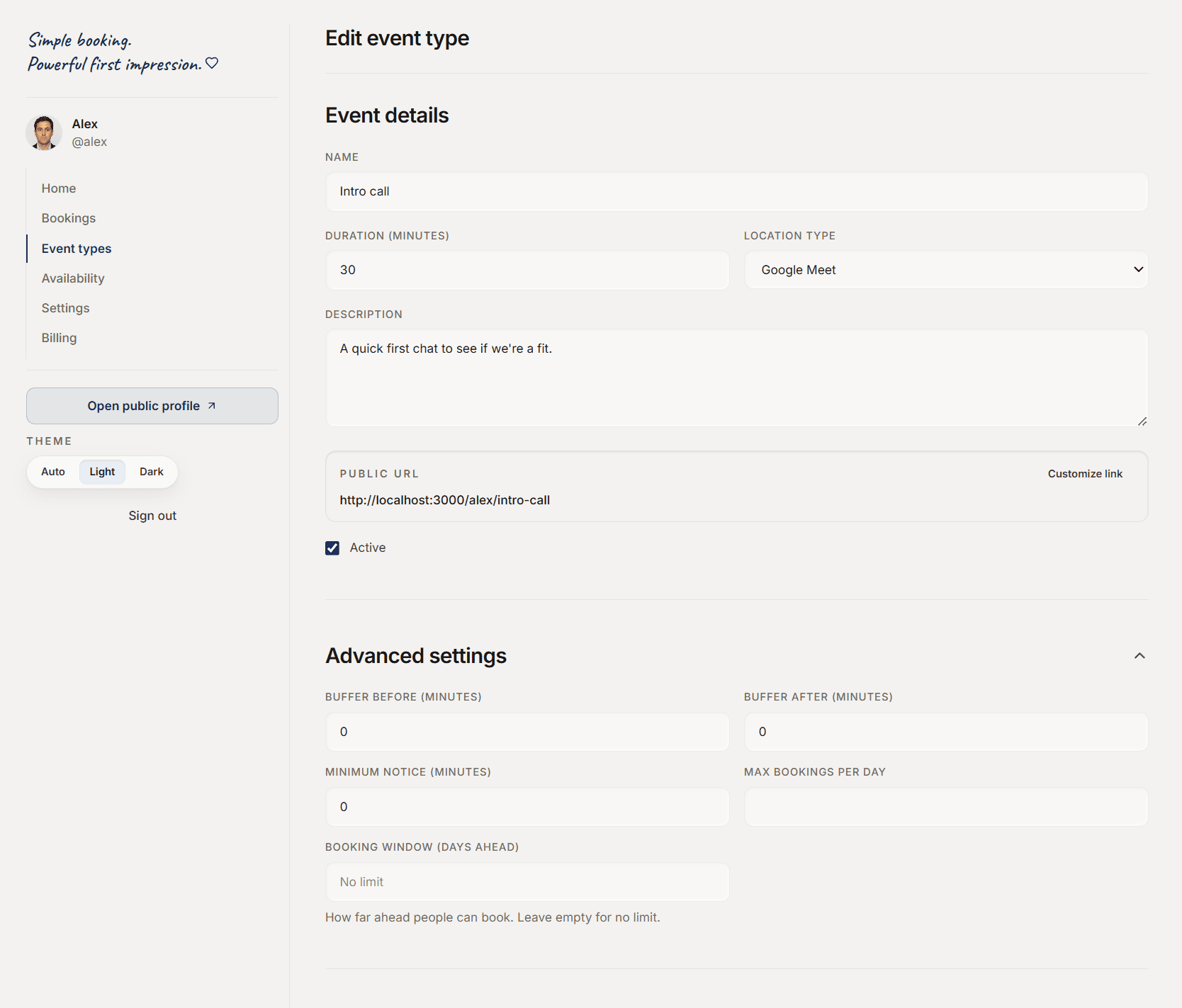
Create a booking type
Give it a name, length and location — add custom questions if you need them.
Share your link
Copy your duplipost.com/yourname link, or embed the widget on your own site.

Your invitee picks a time
They open your branded page and choose a slot in their own timezone — no account needed.
They confirm
One click books it. Both of you get a calendar invite and an email.
It lands in your dashboard
Every booking appears here. Reschedules and cancellations keep it up to date automatically.
Expert tips
Small settings that make Duplipost work the way you do.
Add breathing room
Set before- and after-buffers so back-to-back meetings always keep a gap.
Stop last-minute bookings
Require a minimum notice so nobody can book you five minutes from now.
Protect your day
Cap how many meetings can be booked on a single day.
Qualify up front
Ask invitees what you need to know before the call — required or optional.
One link per purpose
Create separate types — intro call, demo, support — each with its own link and rules.
Put it on your site
Drop a one-line script tag and the booking widget lives natively on your page.
Never double-book
Connect Google Calendar so your busy times are blocked automatically.
Works across timezones
Invitees always book in their own timezone; you always see yours.
Cut no-shows
The reminder carries a one-tap confirm button, and a waitlist catches the people who couldn't find a time.
Block a holiday
Add a date override to take a day off or set one-time hours — without touching your weekly schedule.
Charge to hold the slot
Put a price on an event and invitees pay to book — the payment goes straight to your Stripe and all but ends no-shows.
Take a look inside
The dashboard you actually use — set your hours and shape your booking links in one calm place.
Pricing
Simple, honest pricing
Start free and upgrade when you need more. No ads, no third-party branding — ever.
Pro
or $115/year — save ~20%
- Everything in Free
- Unlimited booking types
- Custom branding, color & logo
- No-show suite & waitlist
- Take payments (pay-to-hold)
- Embed, reminders & CSV export
Business
or $290/year
- Everything in Pro
- Your own domain (book.yourbrand.com)
- Signed DPA on request
- Teams & roles (coming)
No credit card required to start.
Compare plans
Every plan keeps your booking page clean and yours. Here's what each one adds.
| Free | Pro | Business | |
|---|---|---|---|
| Booking types | 1 | Unlimited | Unlimited |
| Google Calendar sync + auto Meet links | |||
| Email confirmations & reminders | |||
| Buffers, limits & booking window | |||
| Clean page — no third-party branding | |||
| Custom branding — color, logo, name | – | ||
| Branded emails | – | ||
| Custom booking questions | – | ||
| Date overrides (holidays, custom hours) | – | ||
| No-show suite & waitlist | – | ||
| Take payments — 0% platform fee | – | ||
| Embed on your site | – | ||
| CSV export | – | ||
| Your own domain (book.yourbrand.com) | – | – | |
| Signed DPA | – | – | |
| Teams & roles | – | – | Coming |
FAQ
Questions, answered
What is Duplipost?
Duplipost turns your availability into a clean, shareable booking page that carries your brand — no ads, no third-party logos, and no dark patterns aimed at your clients.
Is there a free plan?
Yes — free forever. You get one booking type, one connected calendar, unlimited bookings, and your own duplipost.com link. No credit card required.
How much does Pro cost?
Pro is $12/month or $115/year, and unlocks unlimited booking types, your branding and logo, the no-show suite, payments (pay-to-hold), website embedding, and reminders. Business ($29/month) adds your own domain (book.yourbrand.com).
Do I need a Google account?
No. If you use Google Calendar, connect it to block busy times automatically. If you don't, just set your availability manually — everything else works exactly the same.
Does Duplipost sync with my calendar?
Yes. Connect Google Calendar and your busy times block automatically (no double-booking), new bookings write back to your calendar, and video meetings get a Google Meet link.
Can I customize the booking page with my own branding?
Yes. On Pro you set your company name, brand color, and logo, and the page — plus its browser title and link preview — carries your brand, not Duplipost's.
Can I embed the booking page on my website?
Yes, on Pro. Drop the booking flow straight onto your own site so visitors book without ever leaving your page.
How is Duplipost different from Calendly?
Your booking page shows your brand, not ours — there's no 'powered by', no ads, and no upsells shown to the people booking with you. Clean and privacy-respecting by default.
Can I use my own domain for my booking page?
Yes, on the Business plan ($29/month). Your page lives on your own domain, like book.yourbrand.com, with no duplipost.com address — add the domain in Settings, point one DNS record, and verify.
Does Duplipost help reduce no-shows?
Yes, on Pro. The 24-hour reminder has a one-tap 'Confirm attendance' button, no-shows are tracked and repeat offenders flagged, and invitees who can't find a time can join a waitlist instead of disappearing.
Can I charge people to book, or take a deposit?
Yes, on Pro. Put a price on an event and invitees pay to hold the slot via Stripe. The money goes straight to your own Stripe account — Duplipost takes 0% of it.
Where is my data stored?
In the European Union (Stockholm). Duplipost is EU-hosted and GDPR-first, and you can delete your account and all its data yourself, instantly, from Settings.
Can I cancel anytime?
Yes. Manage or cancel your subscription anytime from your dashboard — you keep your plan until the end of the period you've paid for.
Ready to make your own?
Create your free account today — no credit card, 30-second setup.
Create your free account